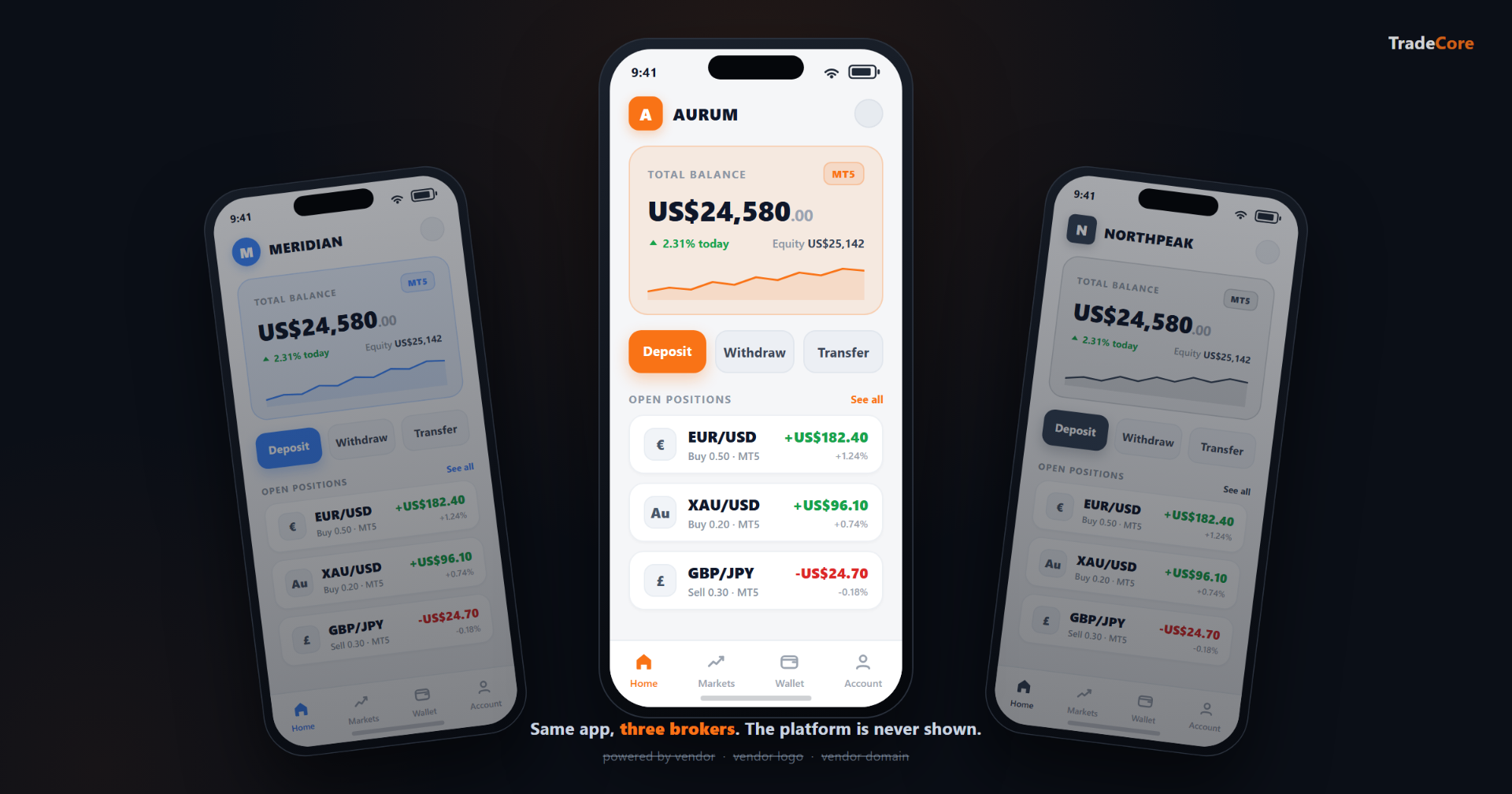
White-label, applied to a broker mobile app, means the trader never meets the company that built the platform. Every surface the platform controls carries the broker's brand: the app store listing, the home-screen icon, the opening screen, the colours inside the app, the web address the app uses, the in-app language and wording, and the legal and support links. The trader installs the app, opens it, funds the account, verifies their identity, and trades, and at no point sees the name of the CRM platform underneath. Payment and identity verification run on regulated specialist providers, which is normal across the industry and is covered in its own section below.
The word "white-label" is overused in forex. It is often a line on a vendor pitch deck that means "we will change the logo for you." A working definition is stricter, and more honest: the broker controls every surface the platform itself controls, and the platform's own brand never reaches the trader.
01 · Surfaces
What is white-labelled on a broker mobile app?
A properly white-labelled trader app puts these surfaces under the broker's control:
- App store listing. The app is published under the broker's own developer account on the Apple App Store and Google Play. The publisher name a trader sees on the listing is the broker, not the CRM platform. The store search result, the seller field, and the support contact all show the broker.
- App icon. The home-screen icon, and the icon next to the app name in the store, are the broker's logo. A trader glancing at their phone sees the broker's brand, not the platform's.
- The opening screen. The first thing a trader sees when the app opens is the broker's logo and brand colours, not a generic vendor screen.
- Colour scheme. Primary, secondary, accent, and action colours across the app follow the broker's palette. Buttons, tabs, charts, and alerts are themed to the broker, including the dark-mode variants.
- Custom domain. The app runs on the broker's own web address (for example, app.yourbrokerage.com), not the platform's. The connections the app makes in the background, and any links it opens, stay on the broker's domain, so a trader who checks never sees the platform.
- In-app language and terminology. The broker's chosen wording for accounts, deposits, withdrawals, and verification is used throughout, in the languages the broker supports.
- Legal and support touchpoints. The about screen names the broker. The Terms of Service and Privacy Policy linked from the app are the broker's, hosted on the broker's domain. The support email and the store privacy contact are the broker's.
All seven come down to one rule: the trader should never see the company that built the app. Miss even one of these surfaces, and that is the screen where the trader sees the platform instead of the broker.
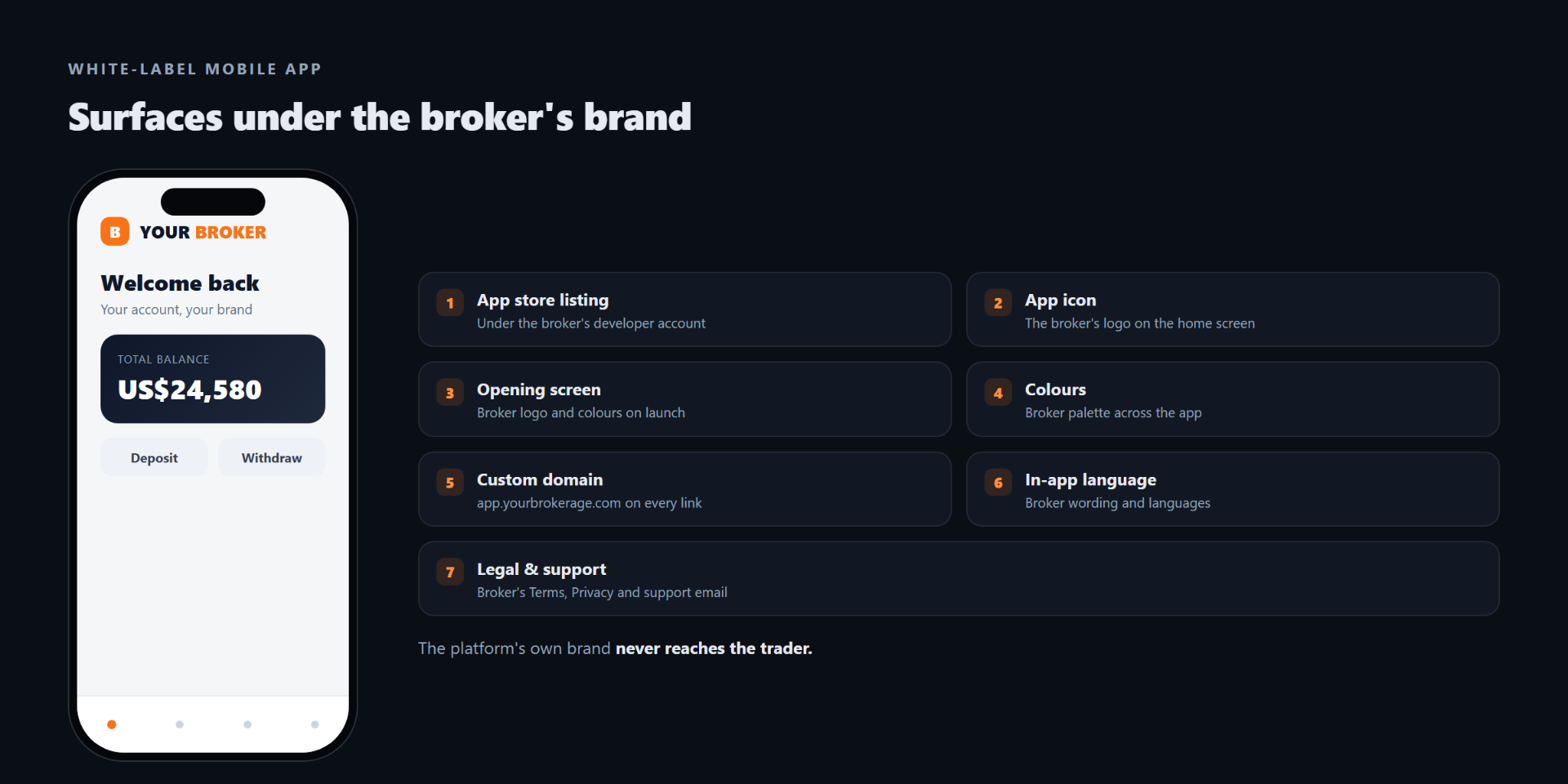
The seven app surfaces a white-label broker app puts under the broker's brand
02 · Payments & KYC
What about the deposit flow and identity checks?
Two steps in any broker app are handled by regulated specialists rather than by the broker or the platform: taking a payment, and verifying identity. Being honest about how those work matters, because it is exactly where loose "white-label" claims fall apart.
BrokerIQ integrates 100+ payment providers and 300+ payment methods, and the broker controls which appear and in what order.
When a trader funds the account, the broker controls which payment methods appear and in what order, drawn from the broker's configured payment providers. The payment itself is completed on the provider's own secure surface, usually an embedded iframe or a redirect to the provider. That surface belongs to the payment provider, not to the broker and not to the platform. This is by design and by regulation: card and wallet transactions run inside the provider's certified, PCI-compliant environment, so sensitive payment data never touches the broker's or the platform's systems.
Identity verification works the same way. The check runs on a third-party provider that TradeCore integrates, such as SumSub or Onfido. Which provider applies is configured per brokerage and can vary by the trader's country. The capture step, the document photo and the verification selfie, runs inside that provider's own flow, an embedded SDK or iframe, and carries the provider's branding, not the broker's and not the platform's.
Neither of these is a brand failure, and no serious broker app avoids them. Payment and identity are precisely the steps you want a specialist regulated provider to own. What white-label controls is everything around them: the payment methods the broker chooses to show, the broker's brand on the screens before and after, and the absence of the CRM platform's brand anywhere in sight.
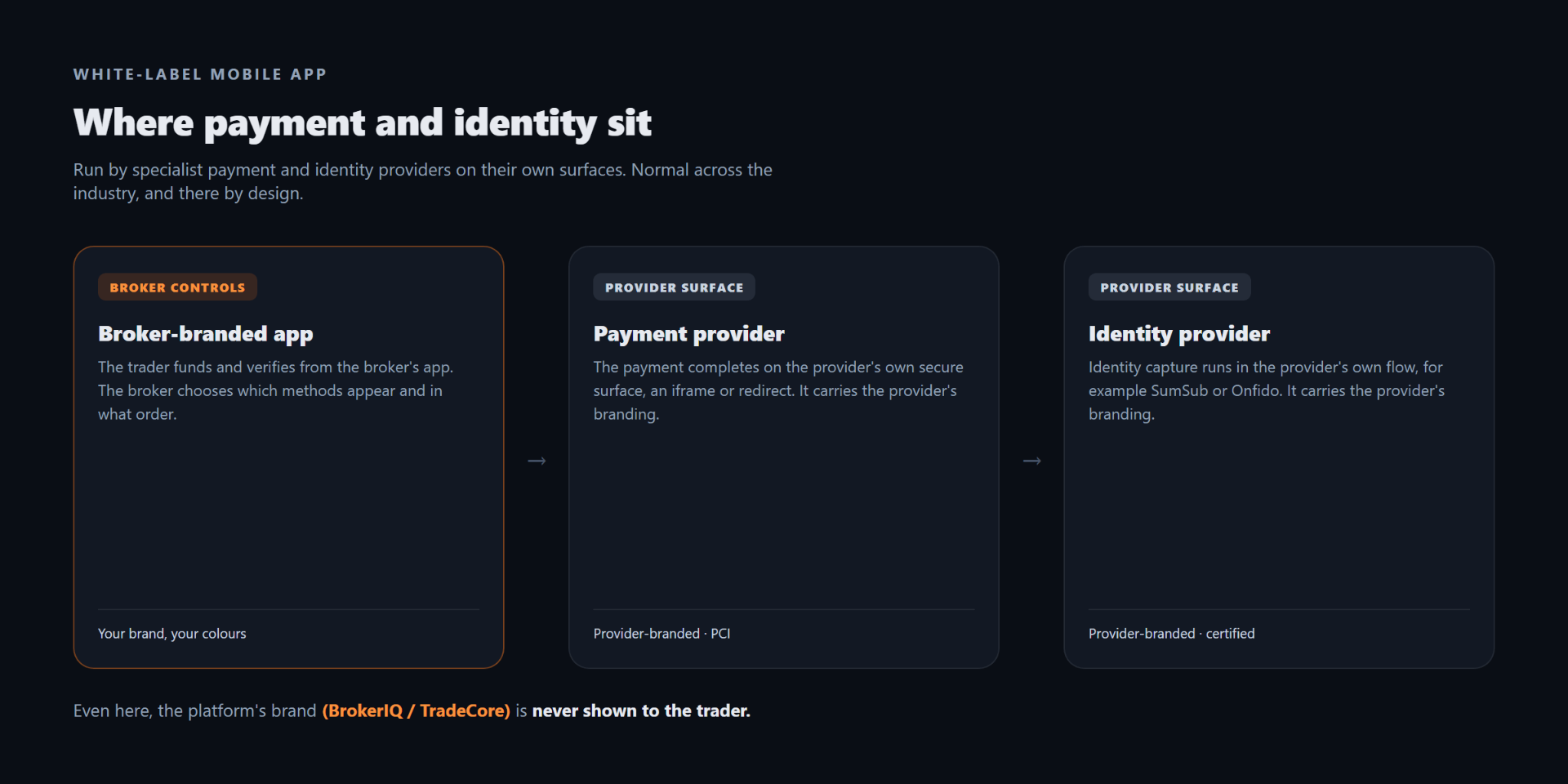
Where payment and identity run in a white-label broker app: the broker app, the payment provider surface, and the identity provider flow
03 · The test
What does not count as white-label?
The failure to watch for is not a payment or identity provider's surface. It is the CRM platform's own brand reaching the trader. Three patterns are sold as white-label but fall short:
- The platform's brand on a surface it controls. A "powered by" line on the opening or login screen, the platform's name or logo in the app header or footer, or the platform's web address showing up in the app's own links. The broker's logo is on top, but the platform shows through somewhere in normal use.
- App published under the platform's developer account. The icon and the title are the broker's, but the store seller field reads "[Platform Vendor] Ltd." Anyone reading the listing sees who really published it, and the broker cannot move the app without the vendor.
- A shared app with only the logo swapped. The colours, the wording, and the domain stay on the platform's defaults, so two different brokers ship a visibly identical app with different logos. Configuration stops at the logo.
None of these are accidents. Each is a shortcut the platform took to ship faster, then described as white-label by reframing the gap. The clean test: is there any screen, popup, link, or store field where the platform's own brand appears to the trader? On a real white-label, there is not.
| Surface | Real white-label | Rebranded (partial) | Shared app, logo swapped |
|---|---|---|---|
| App store publisher | Broker's own developer account | Often the vendor's account | Vendor's account |
| App icon | Broker's logo | Broker's logo | Broker's logo |
| Opening screen | Broker's logo and colours | Broker's, vendor may show through | Platform default |
| Colour scheme | Broker's palette, incl. dark mode | Partly themed | Platform defaults |
| Custom domain | Broker's domain on every link | Vendor domain may appear | Platform domain |
| In-app language and wording | Broker's, in chosen languages | Partly | Platform defaults |
| Legal and support links | Broker's, on broker's domain | Mixed | Platform defaults |
| Payment / identity step | Provider's own surface (PCI / SDK) | Provider's own surface | Provider's own surface |
| CRM platform brand reaches trader | Never | Somewhere in the flow | Yes |
App store publisher
- Real white-label
- Broker's own developer account
- Rebranded (partial)
- Often the vendor's account
- Shared app, logo swapped
- Vendor's account
App icon
- Real white-label
- Broker's logo
- Rebranded (partial)
- Broker's logo
- Shared app, logo swapped
- Broker's logo
Opening screen
- Real white-label
- Broker's logo and colours
- Rebranded (partial)
- Broker's, vendor may show through
- Shared app, logo swapped
- Platform default
Colour scheme
- Real white-label
- Broker's palette, incl. dark mode
- Rebranded (partial)
- Partly themed
- Shared app, logo swapped
- Platform defaults
Custom domain
- Real white-label
- Broker's domain on every link
- Rebranded (partial)
- Vendor domain may appear
- Shared app, logo swapped
- Platform domain
In-app language and wording
- Real white-label
- Broker's, in chosen languages
- Rebranded (partial)
- Partly
- Shared app, logo swapped
- Platform defaults
Legal and support links
- Real white-label
- Broker's, on broker's domain
- Rebranded (partial)
- Mixed
- Shared app, logo swapped
- Platform defaults
Payment / identity step
- Real white-label
- Provider's own surface (PCI / SDK)
- Rebranded (partial)
- Provider's own surface
- Shared app, logo swapped
- Provider's own surface
CRM platform brand reaches trader
- Real white-label
- Never
- Rebranded (partial)
- Somewhere in the flow
- Shared app, logo swapped
- Yes
04 · Why it matters
Why does the broker care about brand control on the mobile app?
The trader's daily touchpoint with the brokerage in 2026 is a phone. A trader checks the account several times a day, watches margin in fast markets, funds the account, verifies on the move, and increasingly trades from the phone. The number of times a trader meets the broker through the app in a week is far higher than through the web portal, and higher again than through email or support.
Every one of those moments is a brand moment. Either the broker's brand carries the touchpoint (the icon on the home screen, the opening screen on launch, the colours and wording throughout, the broker's domain on every link), or the platform's brand does. Brand affinity, retention, and cross-sell willingness all track this.
The broker also competes for trader memory. A trader who moves between brokers and remembers "the one with the orange app" is remembering the broker who controlled the look. A trader who only remembers "the one with the blue trading-platform logo" is remembering the platform, not the broker. White-label is how the broker stays in the trader's memory.
05 · Engineering
How does white-label affect engineering control of the app?
White-label and engineering control are separate questions. A white-label app from a platform vendor:
- Is fully branded to the broker. The trader sees only the broker on every surface the platform controls.
- Is maintained by the vendor. iOS and Android updates, security patches, and the App Store and Google Play submission cycles are handled by the vendor. The broker does not staff a mobile engineering team.
- Is configurable, not custom-coded. The broker configures colours, copy, languages, payment methods, and feature flags. The identity provider is set per brokerage and by country. The broker does not write code for the app.
For most brokers this is the right trade-off: full brand control, no mobile engineering headcount. A broker that needs bespoke code paths, a unique trading widget or a proprietary deposit experience, commissions a full native build instead, which is a multi-quarter engineering programme with ongoing maintenance on both platforms. White-label is the option for brokers who want their brand on the trader's phone without running that project.
06 · Checklist
What should brokers check before signing for a white-label mobile app?
Concrete questions, with the right answer being "the broker" or "yes":
- Is the app published under your own developer account, with your company shown as the store publisher?
- Do the icon, the opening screen, and in-app colours follow your brand rather than the vendor's defaults?
- Does the app run on your domain, with every link it opens staying on your domain?
- Are the about screen, privacy contact, and support email yours, with no vendor name shown to the trader?
- Are the in-app language and terminology yours, in the languages you support?
- For payments, do you control which methods appear and in what order? For both payment and identity, does the platform vendor's own brand stay absent from those steps?
- Is there any screen, popup, link, or store field where the platform vendor's brand reaches the trader?
A "no" on any surface you are supposed to control is a brand leak from the platform. A real white-label puts every platform-controlled surface under your brand and keeps the platform's own name off the trader's screen.
07 · TradeCore
Is the BrokerIQ Trader App white-label?
Yes. The BrokerIQ Trader App is white-label across every surface the platform controls. Each broker publishes under their own developer account on the Apple App Store and Google Play, as the publisher of record. The icon, opening screen, in-app colours, custom domain, in-app language, and the legal and support links are all the broker's. Payment and identity verification run on regulated third-party providers configured for the brokerage. The platform's own brand, BrokerIQ or TradeCore, never appears to the trader.
The platform underneath is BrokerIQ, TradeCore's unified CRM and back-office platform for forex and CFD brokers; the BrokerIQ Trader App is its mobile trading app.
The app is shown live on a real brokerage at iFX EXPO International Cyprus, 16 to 18 June 2026 in Limassol, Booth 83. The day-one feature list and the exact public launch date are confirmed closer to the announcement.
If you are at iFX EXPO Cyprus, the app is demonstrated on a live brokerage at our booth. Book a window or visit Booth 83. Otherwise talk to the TradeCore team any week.
Unlike a rebranded app, which leaves the vendor's name on a screen, link, or store listing somewhere in the flow, the BrokerIQ Trader App keeps the platform's brand off every surface the trader sees.
TradeCore has run brokerage technology for 10+ years and powers 100+ brokerages worldwide.
08 · FAQ
Frequently asked questions
Tags
Ready to Get Started?
Discover how TradeCore can help you build and scale your forex brokerage with our comprehensive CRM.